
We can't find the internet
Attempting to reconnect
Something went wrong!
Hang in there while we get back on track
SetMetaValue
by
Ledger
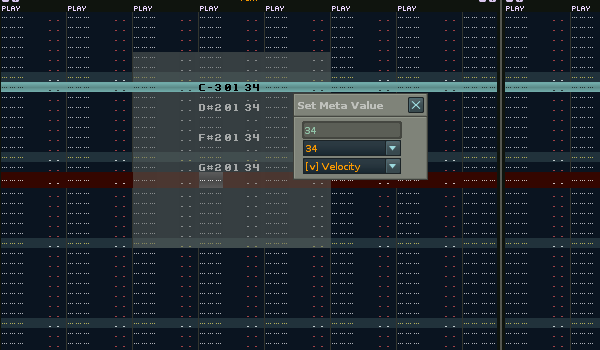
This tool sets the meta (vol/pan/dly) value in selected range for all notes.
-Type in the value then press return and all notes will have their relevant meta values changed.
-To change the field effected type V (for vol) or P (for pan) or L (for delay)
Shortcut to activate:
Set Meta Value
Menu Location:
Tools : Ledger`s Scripts : Set Meta Values
———————————————————————————-
v1.02 – Added Renoise 3.1 version
–Numpad Enter now works the same as return
v1.02 – Added Renoise 3.0 version
v1.01 – added menu entry under: Tools : Ledger`s Scripts : Set Meta Values
External Links
Discussion
Liability exclusion: You are about to download and install software from a third-party provider. This software was not developed by Renoise and is listed here in a summarised form purely as a convenience for our users. Renoise takes no responsibility for any malfunction, incompatibility, or damage caused by or otherwise arising from the use of the software. In the case of problems with the installation or use of the software, please contact the relevant developer.
Back to tools