
We can't find the internet
Attempting to reconnect
Something went wrong!
Hang in there while we get back on track
HyperNudge
by
raumgleiter
HyperNudge
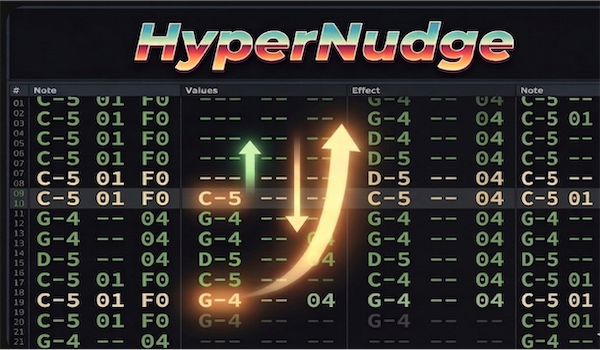
A Renoise tool for nudging notes and effects up and down in both the Pattern Editor and the Phrase Editor.
Credits
HyperNudge is built on top of SuperNudge by pandabot. SuperNudge introduced precise nudging in the Pattern Editor, but at the time of its release the Phrase Editor did not expose the scripting API needed to support the same operations there. Recent updates to the Renoise Lua API (3.5+) added full read/write access to the phrase editor’s cursor position, column state, and selection — making it possible to extend nudging into phrases. HyperNudge adds that functionality while keeping the original Pattern Editor behaviour intact.
What is nudging?
Every note column in Renoise has a delay sub-column (value 0–255) that places a note within a line at sub-line precision. 256 delay units equal one full line.
- Nudge by 1 step — adjusts a note’s delay value by ±1. When the delay wraps below 0 or above 255 the note crosses a line boundary, effectively sliding it with sub-line precision.
- Nudge by 1 line — moves a note or effect by one complete line.
Pattern Editor
This is the original SuperNudge behaviour, unchanged.
Nudge by 1 step
Moves the delay value of the selected note(s) up or down by 1. When the delay value crosses the 0–255 boundary the note moves to the adjacent line and the delay value wraps accordingly.
- Works on the cursor position (no selection required) or on a selection.
- Only applies to note columns — effect columns have no delay concept.
- The delay sub-column is made visible automatically.
Nudge by 1 line
Moves notes and effects up or down by one full line.
- Works on the cursor position or on a selection.
- Applies to both note columns and effect columns.
- Will not overwrite an occupied destination cell.
Keybindings (Pattern Editor)
Assign these in Preferences → Keys → Pattern Editor → Tools.
- Nudge Up by 1 step
- Nudge Up by 1 line
- Nudge Down by 1 step
- Nudge Down by 1 line
Phrase Editor
All phrase editor actions are new in HyperNudge.
Phrases are treated as loops: nudging past the first or last line wraps around to the other end of the phrase, so the musical relationship between lines is preserved.
Nudge by 1 step
Adjusts the delay value of the selected note(s) by ±1, with the same line-crossing wrap behaviour as in the Pattern Editor.
- Works on the cursor position or on a selection (all note columns in the selected range).
- Only applies to note columns.
- The delay sub-column is made visible automatically.
Nudge by 1 line
Moves notes and effects up or down by one complete line.
- Works on the cursor position or on a selection.
- Applies to both note columns and effect columns.
- Wraps around phrase boundaries.
- Will not overwrite an occupied destination cell.
Nudge All Columns by 1 line
Moves every note column and effect column on the current line (or across the selected line range) up or down by one line simultaneously. The column the cursor sits on is irrelevant — all columns move at once.
- If a selection is active, all columns across the entire selected line range are nudged.
- If no selection is active, all columns on the cursor line are nudged.
- Wraps around phrase boundaries.
Keybindings (Phrase Editor)
Assign these in Preferences → Keys → Phrase Editor → Tools. You can use the same key combinations as the Pattern Editor bindings — Renoise fires the appropriate one based on which editor has focus.
- Nudge Up by 1 step
- Nudge Up by 1 line
- Nudge Down by 1 step
- Nudge Down by 1 line
- Nudge All Columns Up by 1 line
- Nudge All Columns Down by 1 line
MIDI Mapping
All 10 actions are exposed in Renoise’s MIDI Mapping dialog (Edit → MIDI Mapping) under:
Tools
  HyperNudge
    Pattern Editor
      Nudge Up by 1 step
      Nudge Up by 1 line
      Nudge Down by 1 step
      Nudge Down by 1 line
    Phrase Editor
      Nudge Up by 1 step
      Nudge Up by 1 line
      Nudge Down by 1 step
      Nudge Down by 1 line
      Nudge All Columns Up by 1 line
      Nudge All Columns Down by 1 line
Bind any of these to a button or pad on a hardware MIDI controller.
Note: Pattern Editor and Phrase Editor mappings are independent. Assign
Pattern Editor:Nudge Down by 1 lineto your controller when working in the Pattern Editor, andPhrase Editor:Nudge Down by 1 linewhen working in the Phrase Editor. You can assign both to the same physical button — only the one that matches your current context will do anything.
Installation
-
Copy
com.halebop.HyperNudge.xrnxinto your Renoise Tools folder:-
macOS:
~/Library/Preferences/Renoise/V3.x.x/Scripts/Tools/ -
Windows:
%APPDATA%\Renoise\V3.x.x\Scripts\Tools\ -
Linux:
~/.renoise/V3.x.x/Scripts/Tools/
-
macOS:
- Restart Renoise, or go to Tools → Reload All Tools.
- Assign keybindings in Preferences → Keys.
Compatibility
Requires Renoise 3.5 or later (API version 6). The Phrase Editor scripting API used by HyperNudge was introduced in this version.