
We can't find the internet
Attempting to reconnect
Something went wrong!
Hang in there while we get back on track
KeyScale
by
masseyis
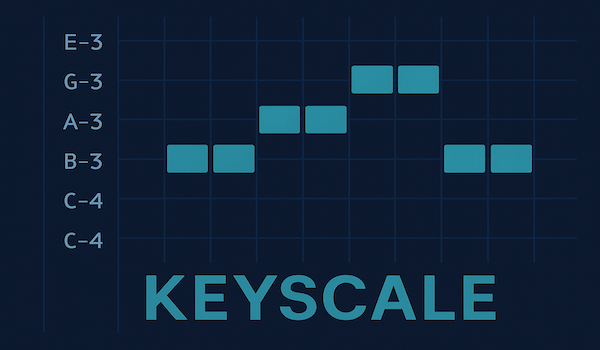
KeyScale — Keyboard-Driven Scale-Locked Note Entry for Renoise
KeyScale is a Renoise tool designed for non-musicians, beginners, and anyone who prefers typing over playing. It turns Renoise’s pattern editor into a scale-aware, keyboard-friendly composing surface, letting you:
- insert notes using simple QWERTY keyboard shortcuts
- move notes up/down scale degrees instead of semitones
- shift notes up/down octaves
- automatically snap off-scale notes into the nearest in-scale degree
- quickly change the root note and scale from the keyboard
- instantly create chords across tracks with 13 chord types (triads, 7ths, 9ths, sus, chromatic)
- work entirely without a MIDI keyboard
It’s the closest thing Renoise has to a scale lock mode, built specifically for tracker-style entry and people who think in keys, not pitches.
✨ Features
🎹 Keyboard-first melody creation
If you don’t play piano (or don’t want to reach for a MIDI keyboard), KeyScale gives you a fast, musical workflow fully controlled from the typing keyboard.
🔒 Automatic scale locking
All transformations (degree movement, octave movement, root insertion) snap incoming notes into the active scale.
🎯 Smart note insertion
If you trigger a move action on an empty cell, KeyScale will:
- insert the root note automatically
- then apply the requested scale/octave movement
This means you can “walk” melodies into existence using just ↑/↓ keybinds.
🔄 Scale degree movement
Instead of semitone steps, move notes by their scale degree, keeping them strictly in key.
📈 Octave shifts
Fast octave up/down movement, still scale-locked.
🎚️ Velocity support
Inserted notes use Renoise’s Computer Keyboard Velocity setting (if enabled), matching standard QWERTY entry behavior.
🎵 Instant chord creation
Build chords across tracks with a single keypress. Choose from 13 chord types:
Scale-based chords (adapt to your current scale):
- Triad, Seventh, Ninth
- Sus2, Sus4
- Add9
Chromatic chords (fixed intervals, work in any scale):
- Major Triad, Minor Triad
- Diminished Triad, Augmented Triad
- Dominant 7th, Major 7th, Minor 7th
Cycle through chord types and apply with one keybinding, or bind specific chord types directly.
🎼 Root + Scale switching
Choose keys/modes entirely by keyboard, via:
- next/previous scale (10 scales: all modes + harmonic/melodic minor + pentatonics)
- next/previous root note
- status popup showing the current setting
🚀 How to Use
1. Install the Tool
Drop the .xrnx into Renoise or install via Tools → Install.
2. Bind Your Keys
Open:
Edit -> Preferences -> Keys
Then assign shortcuts you like to:
Pattern Editor → KeyScale (note operations):
- Insert Root Note
- Move Up Scale Degree
- Move Down Scale Degree
- Move Up Octave
- Move Down Octave
- Chordify Current ⭐ (applies currently selected chord type)
- Chordify Triad, Seventh, Ninth, Sus2, Sus4, Add9 (optional: direct chord access)
- Chordify Major Triad, Minor Triad, etc. (optional: direct chromatic chord access)
Global → KeyScale (settings):
- Next Scale / Previous Scale / Show Current Scale
- Next Root / Previous Root
- Next Chord / Previous Chord / Show Current Chord
Suggested bindings:
| Action | Suggested Key |
|---|---|
| Move Up Degree |
Alt + ↑ |
| Move Down Degree |
Alt + ↓ |
| Move Up Octave |
Shift + Alt + ↑ |
| Move Down Octave |
Shift + Alt + ↓ |
| Insert Root Note |
Ctrl + Enter |
| Chordify Current |
Ctrl + Shift + Enter |
| Next Scale |
Ctrl + Alt + → |
| Previous Scale |
Ctrl + Alt + ← |
| Next Root |
Ctrl + Alt + ↑ |
| Previous Root |
Ctrl + Alt + ↓ |
| Next Chord |
Ctrl + Shift + → |
| Previous Chord |
Ctrl + Shift + ← |
📝 Working With KeyScale
No selection → affects current cell
- If the cell contains a note → it gets transformed.
- If the cell is empty → KeyScale inserts the root note then moves it.
Selection active → affects all notes in the selection
Use this to reshape large melodic patterns while keeping everything in key.
Changing scale or root
Use the next/previous commands to rotate through:
10 Available Scales:
- Major (Ionian)
- Natural Minor (Aeolian)
- Dorian
- Phrygian
- Lydian
- Mixolydian
- Harmonic Minor
- Melodic Minor
- Major Pentatonic
- Minor Pentatonic
All scale-degree and octave actions immediately use the new scale.
Building chords
Quick workflow:
- Place cursor on note (or empty cell)
- Use Next/Previous Chord to select chord type
- Press Chordify Current to create the chord across tracks
Chords are built starting from the current track, spreading voices to the right. Scale-based chords adapt to your key; chromatic chords use fixed intervals for precise chord qualities (useful for borrowed chords, jazz voicings, or stepping outside the scale).
💡 Tips
- Press Cmd+U (macOS) or Ctrl+U (Windows/Linux) to clear selections quickly.
- Use Fn+Backspace on a Mac laptop to delete a single note cell.
- Keep the volume column visible if you want keyboard velocity applied.
- Try building melodies entirely from an empty track using only degree up/down keys — you’ll be surprised how quickly musical shapes appear.
- For chords: Set up multiple tracks in advance. Chordify spreads notes across consecutive tracks (triad = 3 tracks, 7th = 4 tracks, etc.)
- Chromatic chords let you insert exact chord qualities (major, minor, diminished) regardless of your scale — perfect for borrowing chords from parallel keys or adding color outside the scale.
- Use Show Current Chord to see which chord type is selected if you forget while cycling through options.
❤️ Why KeyScale?
Renoise is amazing for fast composition, but for many users — especially people without formal musical training — entering notes chromatically can be intimidating and unmusical.
KeyScale bridges that gap, making Renoise feel more like:
- a step sequencer,
- a scale-aware tracker,
- or a note-safe piano roll with instant chord creation,
all operated entirely from your keyboard.
Whether you’re a non-musician, a programmer-minded composer, or just someone who wants to stay inside the tracker flow, KeyScale lets you work musically without touching a MIDI keyboard. Build melodies by scale degree, harmonize them instantly with chromatic or diatonic chords, and experiment freely knowing you’ll stay in key (unless you deliberately choose to step outside it).
? License
MIT License — free to use, modify, and build upon.
Happy composing — and welcome to scale-safe tracker writing!
If you have feature requests or ideas, feel free to reach out.