We can't find the internet
Attempting to reconnect
Something went wrong!
Hang in there while we get back on track
UnSelector
by
masseyis
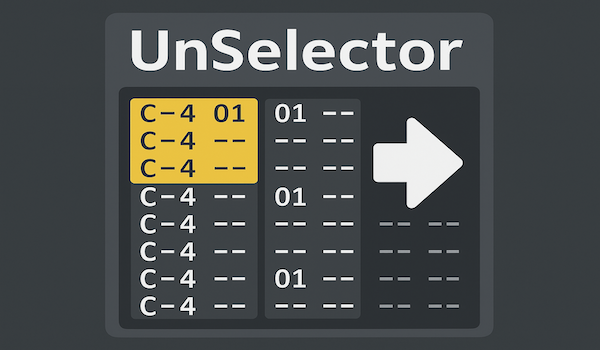
UnSelector — Smart Selection Behavior for Renoise
UnSelector is a Renoise tool that makes pattern selections behave more intuitively for keyboard-driven workflows.
The Problem
In Renoise, selections persist even after you move the cursor outside the selected region. This can be confusing when working with keyboard shortcuts, as operations may affect the old selection rather than the note under your cursor.
The Solution
UnSelector automatically clears the pattern selection whenever you move the cursor outside the selection bounds. This makes selections behave more like traditional text editors: selections only matter when you’re actively inside them.
✨ How It Works
The tool runs silently in the background and:
- Monitors cursor position (line, track, and column)
- Checks if cursor moves outside the current selection
- Automatically clears the selection when cursor leaves the selection bounds
No configuration needed - just install and it works automatically.
🚀 Installation
Drop the .xrnx file into Renoise or install via Tools → Install Tool.
That’s it! The tool activates immediately and works across all your Renoise sessions.
📝 Behavior Details
What triggers selection clearing?
Selection clears when the cursor moves to:
- A different line outside the selection
- A different track outside the selection
- A different note column outside the selection
What doesn’t clear selections?
- Moving within the selection bounds (selection stays active)
- Having no selection active (nothing to clear)
- Operations that don’t move the cursor
⚠️ Trade-offs
This tool changes Renoise’s default behavior. Be aware:
Works great for:
- Keyboard-driven composing and editing
- Tools that operate on cursor position or selection (like KeyScale)
- Quick, focused editing workflows
May affect:
- Copy/Paste workflows - Selection clears after moving cursor, but clipboard still works (you just lose visual feedback)
- Selection-based looping - If you move cursor outside while playing a loop, the selection may clear
- Multi-step operations - Tools that select data then move cursor as intermediate steps
💡 Tips
- Works perfectly with keyboard-focused tools like KeyScale
- If you need to copy/paste, do it quickly: Select → Copy → Move → Paste (all still works, selection just clears after cursor moves)
- Renoise’s native selection tools still work normally - this only affects when selections clear
- If you find it doesn’t fit your workflow, simply uninstall the tool to restore default behavior
🤝 Pairs Well With
This tool was created to complement KeyScale, which provides keyboard-driven scale-aware note entry and chord creation for Renoise. Together they create a fully keyboard-centric composition workflow.
❤️ Why UnSelector?
For keyboard-driven workflows, having selections persist after cursor movement can be confusing and error-prone. This tool makes Renoise behave more like traditional editors, where the cursor position is always your primary focus, and selections are temporary working regions that clear when you move away.
📜 License
MIT License — free to use, modify, and build upon.
If you find this tool useful and want to support development, consider buying me a coffee!